
DIY Website vs Professional Web Design for Small Business
Should you build your own website or hire a professional? This guide compares both options honestly, covering cost, time, design, SEO, and results, so small business owners can choose the approach that fits their stage and goals.
BUSINESSWEBSITE

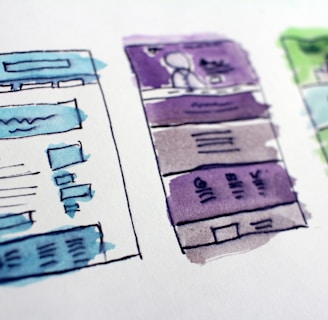
DIY Website vs Professional Web Design for Small Business
At some point, every small business owner faces the same decision. Do you build the website yourself, or do you hire someone to do it.
Both paths are legitimate. Modern website builders have made it genuinely possible for a non-designer to launch a decent site in a weekend. At the same time, many businesses discover that a polished-looking site is not the same thing as a site that brings in customers.
The honest answer is that neither option is always better. The right choice depends on your budget, your time, your skills, and, most importantly, how much your business depends on its website to win customers. This guide compares the two paths fairly, so you can decide with confidence instead of guessing.
The Short Answer
Choose DIY if you have a tight budget, simple needs, time to spare, and a willingness to learn.
Choose professional web design if your website is central to winning customers, if you want a premium impression, or if your time is better spent running your business.
Many businesses also use a hybrid approach, starting with a DIY site and upgrading to a professional build as revenue grows. We will cover how to decide below.
What DIY Actually Means
DIY website building usually means using a template-based platform, such as a drag-and-drop website builder, or setting up a site on an open platform like WordPress with a pre-made theme. You choose the template, write the content, upload images, and connect your domain and hosting.
The tools are better than ever. Many platforms include built-in hosting, security, booking tools, and basic search settings. You can often have something live within days.
What Professional Web Design Actually Means
Hiring a professional can mean working with a freelancer, a small studio, or a larger agency. A good professional does more than make things look nice. They typically help with strategy, messaging, structure, design, development, search optimization, testing, and launch. The best ones focus on one outcome, which is turning visitors into customers.
The range of providers is wide, so quality varies. Choosing the right partner matters, and we will cover that too.
DIY Website: The Pros
Lower upfront cost
The most obvious advantage is money. Template platforms are affordable, and you avoid paying for design and development labor. For a business just getting started, preserving cash can matter more than anything else.
Speed and control
You can launch quickly, change things whenever you like, and make small edits without waiting for anyone. You control every decision.
Learning your own platform
Building it yourself means you understand how it works. That can make later updates easier and remove dependence on outside help for minor changes.
Flexibility to test
If you are still figuring out your offer and audience, a simple DIY site lets you experiment without a major financial commitment.
Good enough for some needs
For a hobby business, a side project, a simple online presence, or a temporary page, DIY can be entirely adequate.
DIY Website: The Cons
The real cost is your time
Building a good site takes far longer than most owners expect. Planning the structure, writing copy, finding or taking photos, designing layouts, setting up forms, testing on devices, and learning the platform can consume many hours. Every hour spent on the site is an hour not spent serving customers or running your business.
Template limits and a generic look
Templates are designed to suit many businesses, which means your site may look similar to others. Customizing beyond the template can get complicated. A generic look makes it harder to stand out and to signal premium quality.
Hard to see design and conversion mistakes
Without design and marketing experience, it is easy to make choices that quietly cost customers, such as unclear messaging, weak calls to action, cluttered layouts, poor mobile behavior, or slow loading. You do not know what you do not know.
Limited strategy
A builder gives you tools, not strategy. It will not tell you how to position your business, what to say on your homepage, which pages to create, or how to guide visitors toward action.
Basic search and technical setup
Many DIY sites skip important technical work, such as clean page structure, proper titles and descriptions, speed optimization, structured data, and local search setup. These affect whether customers can find you.
Ongoing responsibility
You handle updates, security, backups, and fixes. If something breaks at a bad moment, you are the support team.
Platform limits
Some builders make it difficult to export your site or move to another platform later. If you outgrow your tool, you may need to rebuild.
Professional Web Design: The Pros
Strategy, not just visuals
A good professional starts with your goals, your audience, and your offer. They help you decide what to say, how to structure the site, and what action to drive. This strategic thinking is often the biggest difference between a site that looks nice and a site that performs.
A premium, tailored first impression
Customers judge credibility in seconds. A custom, polished design that reflects your brand signals professionalism and trust, which is especially valuable when your service is high-value or your market is competitive.
Stronger messaging and conversion design
Professionals understand how people read websites and what makes them act. They design layouts, calls to action, proof sections, and forms to guide visitors toward contacting you.
Better technical foundations
A skilled developer builds for speed, mobile performance, accessibility, security, and clean structure. They also set up search basics, such as titles, headings, structured data, and sitemaps, which help both Google and AI tools understand your business.
Saves your time
You focus on your business while someone else handles the project. A good process means fewer hours from you, usually limited to giving input and reviewing drafts.
Faster, smoother launch
Experienced professionals know the pitfalls and can move quickly. They also test thoroughly, which reduces launch-day surprises.
Support and accountability
You have a partner who can fix problems, make updates, and help the site evolve as your business grows.
Professional Web Design: The Cons
Higher upfront investment
Professional design costs more than a template. Prices vary widely depending on scope, experience, and who you hire, so request written estimates and compare what is included.
Quality varies
Not every designer or agency delivers great results. Some focus on looks over performance, some use templates while charging for custom work, and some disappear after launch. Doing your homework matters.
Less immediate control
You may depend on the professional for changes, especially if the site is built in a way that is hard for you to edit. Clarify how updates will work before you start.
It still requires your involvement
A professional cannot invent your story. You will need to provide input, feedback, testimonials, and access to your business knowledge. Delays in your responses can slow the project.
Risk of unclear ownership
Make sure you own your domain, your content, and your site files. Some providers lock clients into proprietary systems, so ask about ownership upfront.
The Hidden Costs of Each Path
Hidden costs of DIY
Your time. Value your hours honestly. If you spend forty hours building a site, what would that time have earned running your business.
Premium features. Upgrades, plugins, themes, and add-ons can add up.
Stock photos and tools. You may need subscriptions for images, design software, or copywriting help.
Lost customers. A site that confuses visitors or loads slowly costs you business you never see.
Redo costs. Many owners eventually rebuild, paying twice.
Hidden costs of professional design
Content. Photography, video, and professional copy may be extra.
Ongoing fees. Hosting, maintenance, and updates are often separate from the build price.
Scope changes. Adding pages or features mid-project can raise the cost.
Third-party tools. Booking systems, email platforms, and plugins may carry their own subscription fees.
In both cases, ask what the total cost of ownership looks like over a year or two, not just on launch day.
How to Decide: Questions to Ask Yourself
Work through these honestly.
1. How important is the website to winning customers. If most of your leads come from referrals and your site is a simple credibility check, DIY may be fine. If customers search online and compare options, a stronger site matters a lot.
2. What is your budget, including your time. A low sticker price is not always the lowest total cost.
3. How much time do you have. If your days are full of customers, the time to build a quality site may not exist.
4. What are your skills. Are you comfortable with writing, layout, photography, and basic technical settings, or would each of those be a struggle.
5. How competitive is your market. In crowded markets, a distinctive, trustworthy site helps you stand out.
6. What price point do you serve. Higher-value services need a higher level of polish to match customer expectations.
7. What stage is your business in. A brand-new business testing an idea has different needs than an established business ready to scale.
8. What does your current site cost you. If you suspect your website is losing customers, a professional audit or rebuild may pay for itself.
When DIY Makes Sense
You are just starting out and cash is tight.
Your offer and audience are still evolving.
You need a simple online presence with a few pages.
You enjoy learning and have time to do it well.
Your customers mostly come through referrals or other channels.
You are building a temporary or experimental page.
If you go this route, protect yourself by choosing a reputable platform, keeping the design clean, writing clear copy, and following the basics of mobile design, speed, and calls to action.
When Professional Design Makes Sense
Your website is a primary source of leads or sales.
You sell high-value or trust-sensitive services.
You want a premium brand impression.
Your market is competitive.
You lack the time or skills to do it well.
You need strategy, messaging, and technical SEO handled properly.
Your current site is not performing and you do not know why.
You are ready to grow and want a foundation that scales.
The Hybrid Path
You do not have to choose forever. A common and sensible approach is to start with a simple DIY site, learn what your customers respond to, then invest in a professional build when revenue supports it.
Another hybrid is to hire a professional for the foundation, such as strategy, design, and technical setup, and then manage simple updates yourself. A good provider will build the site in a way that lets you edit text, swap images, and publish updates without breaking anything.
You can also hire a professional for a specific piece, such as writing your homepage copy, designing your logo and brand, or auditing a DIY site and giving you a prioritized list of fixes.
How to Choose a Professional Web Designer
If you decide to hire, vet carefully.
Review their portfolio. Look for quality, range, and whether the sites feel strategic, not just pretty.
Ask about results. Do they measure whether sites generate leads, calls, or sales. Ask for examples and references.
Understand their process. A good provider can explain how they handle strategy, content, design, revisions, testing, and launch.
Clarify what is included. Pages, revisions, copywriting, photography, search setup, training, and ongoing support.
Confirm ownership. You should own your domain, content, and site files.
Check communication. Responsiveness and clarity during the sales process often predict the project experience.
Get everything in writing. Scope, timeline, cost, payment terms, and what happens after launch.
Be cautious of red flags. Guaranteed rankings, pressure tactics, vague quotes, and reluctance to share examples are all warning signs.
Mistakes to Avoid on Either Path
Choosing on price alone. The cheapest option is not always the best value.
Skipping strategy. Whether you build or hire, start with goals, audience, and message.
Neglecting content. Great design cannot rescue unclear or missing copy.
Ignoring mobile and speed. Both affect customers and search visibility.
Forgetting maintenance. Every site needs updates, security, and backups.
Not measuring results. Track calls, forms, bookings, and sales.
Overbuilding at the start. Launch a strong core site, then improve.
Treating the site as finished. Review and refine regularly.
Final Thoughts
DIY and professional web design are tools for different situations. DIY offers low cost, speed, and control, at the price of your time and a higher risk of unseen mistakes. Professional design offers strategy, polish, and performance, at a higher upfront cost and with the need to choose a good partner.
The deciding question is not which option is cheaper or more impressive. It is which option gives your business the best return. If your website is a minor part of how you win customers, a simple DIY site may serve you well. If it is central to your growth, the extra investment in a professional site often pays for itself in customers you would otherwise have lost.
Be honest about your goals, your time, and your skills. Start where it makes sense, upgrade when it is time, and keep your focus on the one measure that matters, which is whether your website helps people choose your business.
Ready to see what a professionally designed website could do for your business?
Speed Lane designs premium, fast, and clear websites for small and medium businesses, built to turn visitors into customers.
Get in touch with speedlane.click to start the conversation.


© 2026 Speed Lane Website Design Studio. All rights reserved.
Premium Websites. Faster Launches.


A website design studio that builds premium websites.
719 2nd Ave
New York NY 10016
United States